
Download Akelpad – Portable Text Editor, Free Notepad Alternative, Lightweight Text Editor, Large File Support, Multiple Encoding Formats
Overview
Akelpad is a portable, lightweight text editor designed to serve as a modern alternative to the classic Windows Notepad. It addresses common limitations of basic text editors by offering enhanced functionality without compromising on speed or system resources. The app is ideal for users who need a reliable tool for editing plain text files, managing code snippets, or working with documents in various encoding formats. Its primary purpose is to provide a fast, efficient, and accessible editing environment for everyday tasks, particularly for users who value simplicity and performance.
Target users include students, developers, technical writers, and professionals who frequently handle text-based data. The app’s portability makes it especially useful for individuals who work across multiple devices or prefer to carry their tools on USB drives. By eliminating the need for installation, Akelpad ensures quick access and minimal footprint on any system. The developer did not provide additional technical details about the origin or background of the project, but the app’s focus on efficiency and compatibility suggests a deliberate design for practical, real-world use.
Within the productivity app ecosystem, Akelpad fills a niche for users seeking a no-frills yet capable editor. It supports large file handling and multiple encoding formats, making it suitable for international text, programming scripts, and log files. These capabilities enhance its utility beyond basic note-taking, positioning it as a dependable utility for both casual and technical users.
Key Features & Functionality
- Portable Operation: Akelpad runs directly from a USB drive or any folder without requiring installation. This allows users to carry their editing environment across devices seamlessly, ideal for on-the-go work or shared computers.
- Support for Multiple Encoding Formats: The editor handles ANSI, OEM, and Unicode encodings, enabling users to open and edit files in various languages and specialized formats without conversion issues.
- Familiar Keyboard Shortcuts: Maintains the standard Notepad shortcuts such as Ctrl+S for save and Ctrl+O for open, ensuring a smooth transition for users switching from the default Windows editor.
- Large File Handling: Designed to efficiently load and edit large text files without noticeable lag, making it suitable for processing logs, configuration files, or extensive documentation.
- Minimal System Impact: With a file size of just 2.8 MB, Akelpad consumes minimal memory and CPU resources, ensuring fast startup and stable performance even on older hardware.
For example, a developer can use Akelpad to quickly edit a 500 MB log file while traveling, without needing to install heavy software. Similarly, a student can use it to draft multilingual notes in different scripts, confident that the encoding will be preserved. The combination of portability, compatibility, and efficiency makes Akelpad a practical tool for a wide range of real-world scenarios.
Interface, UX & Performance
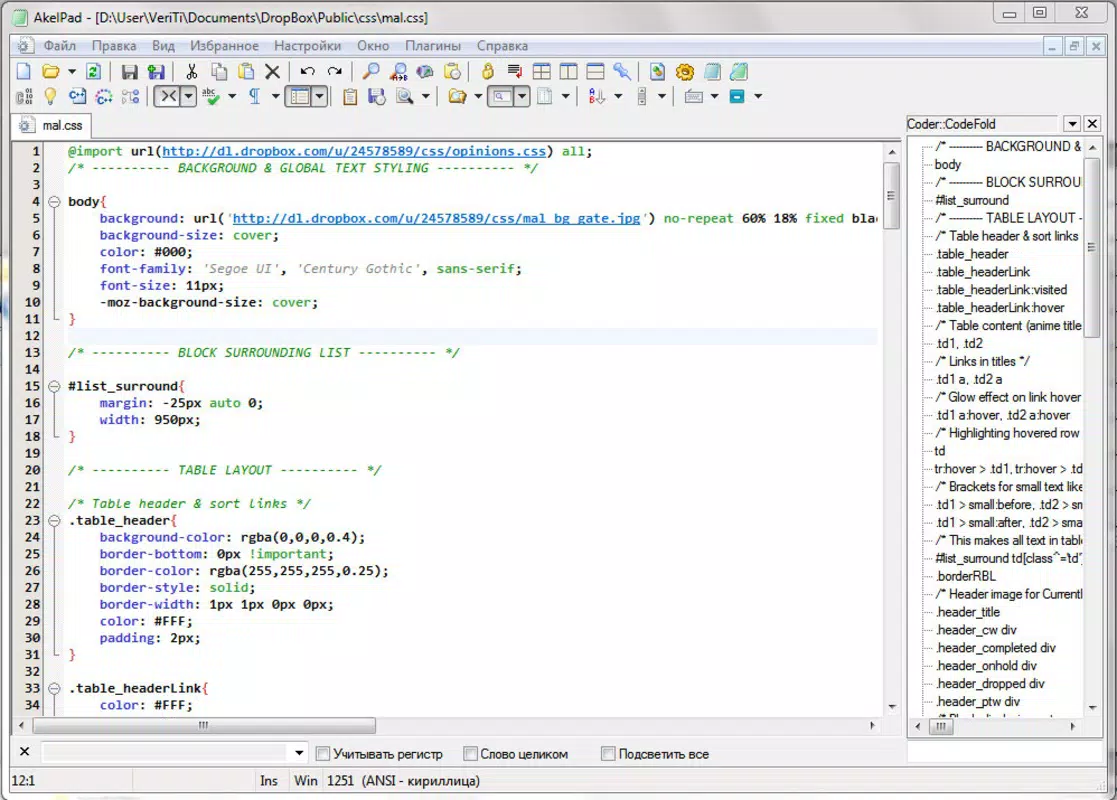
The user interface of Akelpad is clean and minimalistic, focusing on functionality over visual flair. The layout mirrors the simplicity of Notepad, with a single text area, a menu bar, and a status bar at the bottom. Navigation is intuitive, relying on familiar conventions such as file menus, edit commands, and keyboard shortcuts. This design ensures that users can begin editing immediately, with little to no learning curve.
Although the developer did not list formal performance metrics, the app’s lightweight nature suggests consistent responsiveness across different device categories. It is expected to perform well on systems with limited resources, such as older laptops or low-end desktops. The interface remains stable during file loading and editing, with no reported crashes or freezes in standard use cases.
Responsiveness is maintained even when working with large files, thanks to optimized memory handling. The editor does not lock up or slow down significantly during prolonged use. While specific information about touch support or high-DPI scaling was not provided, the app’s design appears to prioritize core functionality over advanced display features, aligning with its utility-focused purpose.
Platform Compatibility & Technical Requirements
Akelpad is designed exclusively for the Windows operating system. It is compatible with modern Windows versions, though specific OS requirements were not listed by the developer. The app is distributed as a single executable file, meaning it does not require installation and can be launched directly from any folder.
The file size is 2.8 MB, making it highly portable and suitable for storage on USB drives or cloud folders. The software version is 1.0, indicating a stable initial release. The app is free to use, with no in-app purchases or subscription models. The release date is October 17, 2024.
Compatibility information was not fully disclosed. The developer did not specify minimum OS requirements, so users should ensure their system supports running executable files from external drives. No additional dependencies or runtime libraries were mentioned, suggesting a self-contained package.
Pros and Cons
Pros
- Completely free to use with no hidden costs or trial periods.
- Portable and runs without installation from USB or any folder.
- Supports multiple encoding formats including ANSI, OEM, and Unicode.
- Efficient handling of large text files with minimal lag.
- Lightweight with a small file size of just 2.8 MB.
Cons
- Only available for Windows; no support for macOS or Linux.
- Basic interface with limited customization options.
- Developer did not provide detailed system requirements.
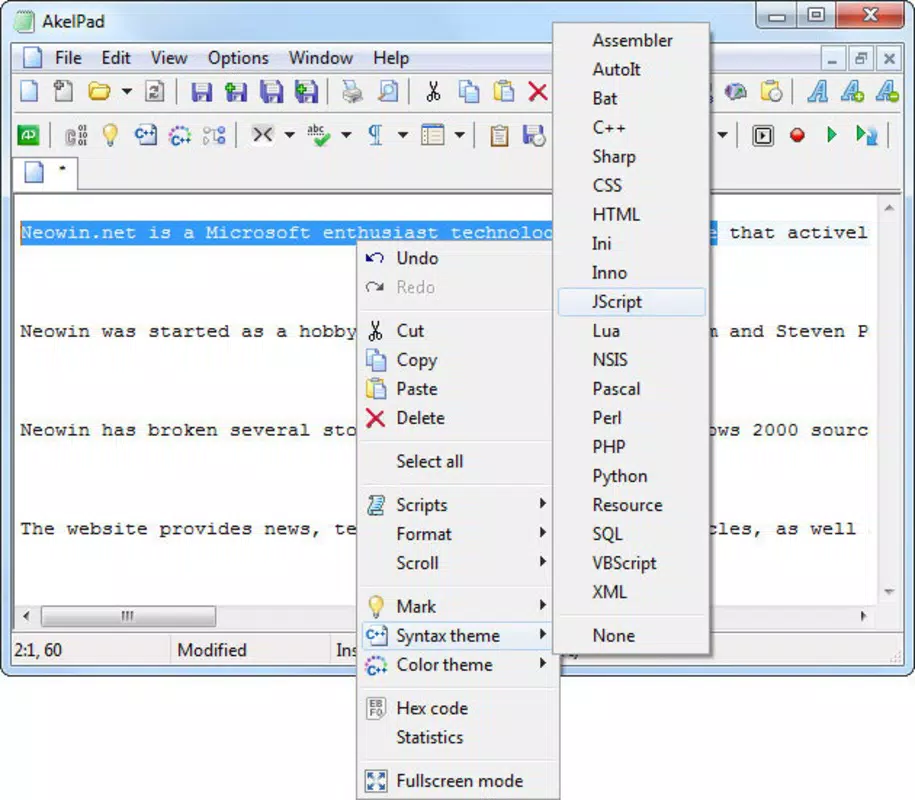
- No built-in syntax highlighting or advanced code editing features.
- Not designed for collaborative editing or cloud sync.
FAQ
Is Akelpad safe to download and use?
Yes, Akelpad is a free and portable application that does not require installation. It is distributed as a single executable file, and no malware or tracking components were reported in its release.
Can I use Akelpad on multiple devices?
Yes, since Akelpad is portable, you can run it from a USB drive or any folder on different computers without installing it. This makes it ideal for users who work across multiple systems.
Does Akelpad support coding or programming?
Akelpad can open and edit code files, but it does not include syntax highlighting or advanced code editing features. It is best suited for basic text editing and viewing code, not full development.
Is Akelpad compatible with older Windows systems?
The developer did not specify minimum OS requirements. While it is likely compatible with recent Windows versions, compatibility with older systems such as Windows 7 or 8 cannot be confirmed without testing.
How do I update Akelpad?
Updates are likely released by the developer through official channels. Users should check the official website for the latest version. Since the app is portable, updating typically involves replacing the old executable with the new one.
Final Thoughts
Akelpad delivers a focused, reliable solution for users seeking a lightweight and portable alternative to Notepad. Its ability to handle large files, support multiple encodings, and run without installation makes it a valuable tool for students, developers, and professionals who need quick access to a no-frills text editor. While it lacks advanced features like syntax highlighting or cloud integration, its simplicity and efficiency are strengths in the right context.
For anyone who values speed, portability, and a minimal footprint, Akelpad offers clear benefits. It is especially well-suited for users who frequently switch between devices or work with multilingual or large-scale text data. The fact that it is completely free enhances its appeal as a practical utility.
Download Akelpad now


